How to Buy a Phone in Egypt and Avoid an IMEI Block

Everyday life4 min read

Here is what to check when buying a phone second hand, why sellers write «IMEI Egypt» and how not to end up with a phone that has no network.
New or used, which is better in Egypt
A new phone from an official store costs more, but it is already registered in Egypt and comes with a local warranty and a receipt.
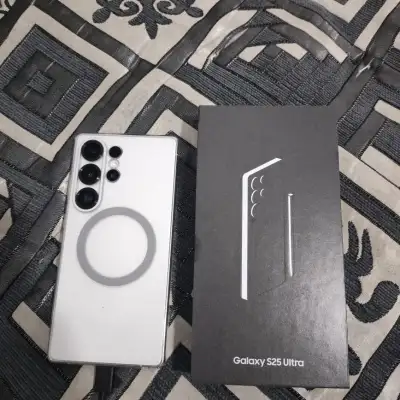
A used phone is much cheaper, and there are plenty of offers among expats and students: people move home, upgrade or sell a gift. But all the checking is up to you. Fresh offers are easy to browse in phones in Egypt.
What «IMEI Egypt» in a listing means
Listings often say «IMEI Egypt», «MISR EMEI» or «registered». Misr is the Arabic word for Egypt. The seller means the phone is registered in Egypt and works with local SIM cards.
Phones brought from abroad must be registered with the National Telecom Regulatory Authority (NTRA), and the duty must be paid. Otherwise, after a grace period the phone can stop working with Egyptian SIM cards, with no calls and no mobile data.
The exact rules, deadlines and fees change, so check them in the official NTRA app or on its website, not in chats.
How to check registration before you buy
If the seller avoids the question or says «you can register it later», factor the possible duty into the price or look for another phone.
- Ask the seller directly: was the phone bought in Egypt or brought in, is it registered and has the duty been paid.
- Ask for an Egyptian store receipt or proof of registration from the official app, and compare the IMEI in it.
- Insert your SIM card and make a call. But a phone in its grace period works too, so one call proves little.
What to check on a used phone at the meeting
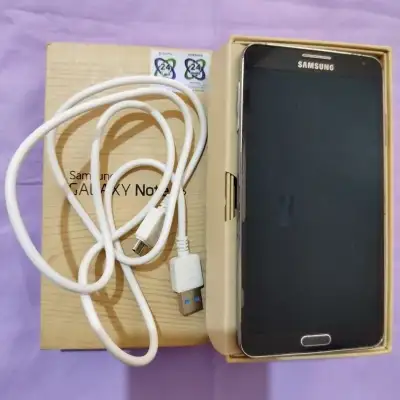
- IMEI. Dial *#06# and compare the number with the box and the SIM tray. A mismatch means the box belongs to another phone or the device has been repaired.
- Battery. On an iPhone go to Settings, Battery and check the maximum capacity in percent. On Android see how fast the charge drops.
- Face ID or Touch ID, or the fingerprint sensor on Android. Ask to add your face or finger and test unlocking.
- Account. iCloud with Find My iPhone, or the Google account, must be removed. Best of all, the seller signs out and does a factory reset in front of you, otherwise after a reset the phone stays locked to the old account.
- Water damage. Corrosion in the port and the SIM tray, fog under the camera. An iPhone has a liquid indicator in the SIM slot: if it is red, the phone has been in water.
- Everything else. Cameras, speakers, microphone, charging, buttons, Wi-Fi and Bluetooth.
How to meet and pay safely
Meet in the daytime in a busy place such as a mall, a café or an electronics shop. Meeting near a repair shop where the phone can be checked is even better. Bring a friend who knows phones.
Pay only after checking, when the phone is in your hands and reset. Never send a prepayment to strangers for a «reservation» or delivery, it is the most common scam. If the price is far below the market, be twice as careful: the phone may turn out to be stolen or blocked.
Finding a phone and selling yours on Tullab
On Tullab you will find phones and cases, chargers and headphones from Russian, Uzbek and Kyrgyz speakers living in Egypt. Contact the seller by phone or Telegram and arrange a meeting.
Selling your own phone? Post a free ad with the model, storage, battery health, what comes in the box and, importantly, whether the phone is registered in Egypt. An honest description saves time for you and for buyers.